 The
tab “Deed data” allows the submission officer to enter document/deed general
information, objects and parties.
The
tab “Deed data” allows the submission officer to enter document/deed general
information, objects and parties.The
tab “Deed data” allows the submission officer to enter document/deed general
information, objects and parties.
Deed data is divided into 3 main parts, all of them must be filled:
•General deed data (for detailed description please look in chapter 1.2.1General data);
•Parties data (for detailed description please look in chapter 1.2.2 Parties data);
•Object data (for detailed description please look in chapter 1.2.3 Object data)
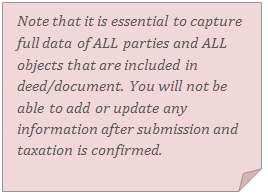
It is essential to capture full data of all parties and all objects that are included in the deed/document. You will not be able to add or update any information after submission and taxation is confirmed.
When all the required data is filled in the “Deed data” tab, submission officer usually proceeds with the “Linked registrations” tab (1.3 Add linked registrations), or “Taxation” tab (1.4 Enter taxation data). But submission officer can also:
•Confirm submission (2 Confirm submission) to finish the submission and taxation step.
•Cancel registration (3 Cancel registration) if the officer finds the submission entry record duplicated or mistaken.
•Request clarification (4 Request clarification) if submitted documents need correction or clarification.
•Reject/withdraw (5 Reject/Withdraw) if the applicant asks for a registration rejection, or the submission officer finds any inconsistencies with the applicable legislation.
•Unclaim (3.2.6 Unclaim) if the officer cannot finish the submission and taxation step for this record. The unclaimed record can be later re-assigned to the other submission officer.