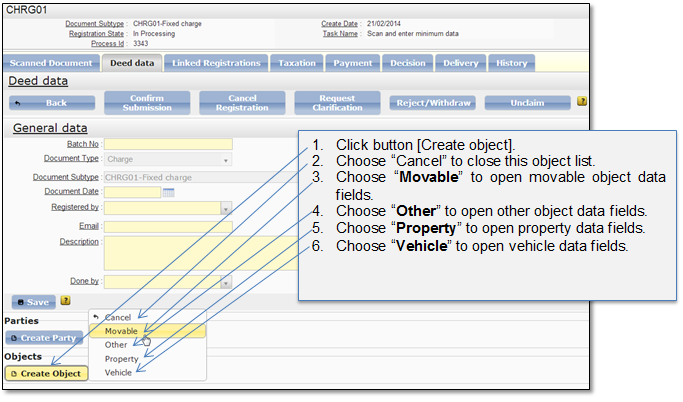
The functionality allows the user to create a new object in the submission entry. The object can be Movable, Property, Vehicle or Other. Note that in different document types there are different object types available. Follow the actions below to enter object data:
Figure 70 Create object (choose object type)
When object type is chosen, object data window is opened. Enter object data and save the record. When record is saved you can continue with other objects data entering (you can enter as many objects as required).
Note that when there are several object records and you open particular object data window, the previous object data is hidden and only a ribbon with generated object identifying data is shown (Figure 71). You can click on the ribbon to expand object data. Only one object record can be opened at the time.
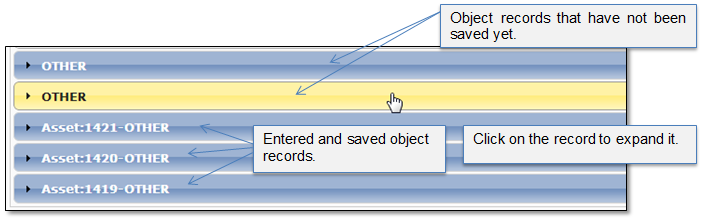
Figure 71 Hidden object records
Each object type is described separately in the pictures below.
Movable object data
This window (Figure 72) is shown if user has selected to create movable object.
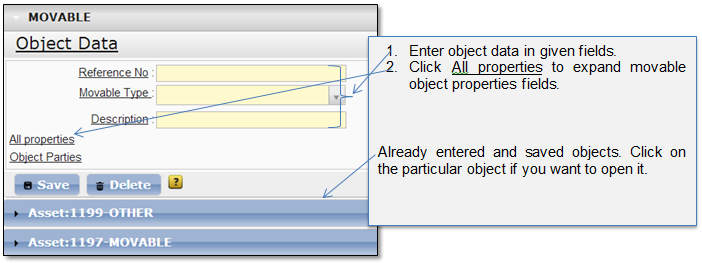
Figure 72 Movable object data
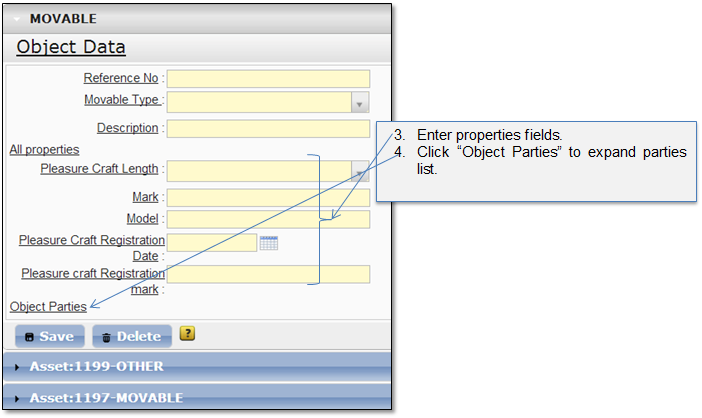
Figure 73 Movable object data with properties
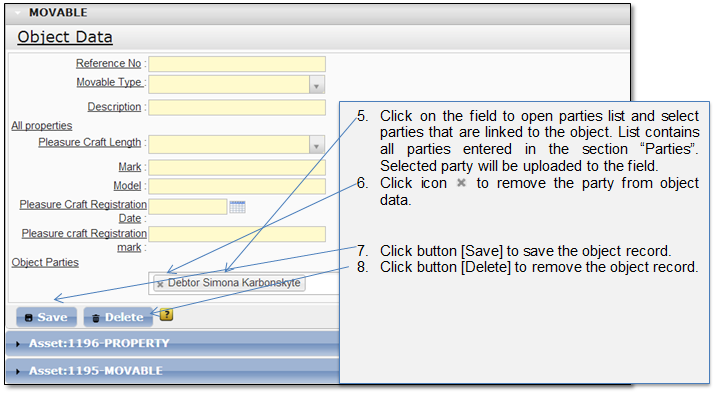
Figure 74 Movable object data with parties information
Property data
This window (Figure 75) is shown if user has selected to create property object.
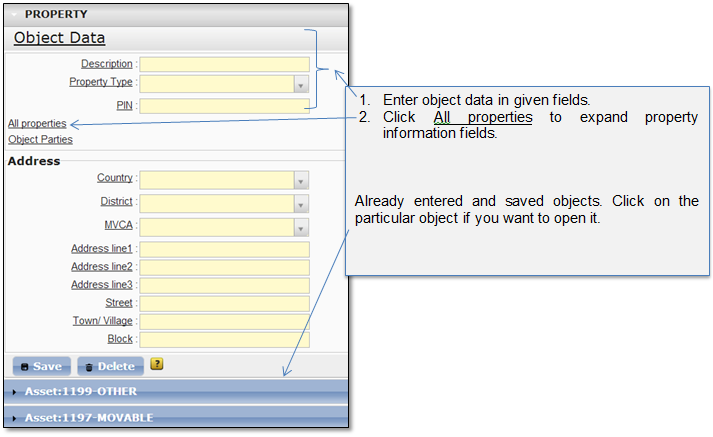
Figure 75 Property data
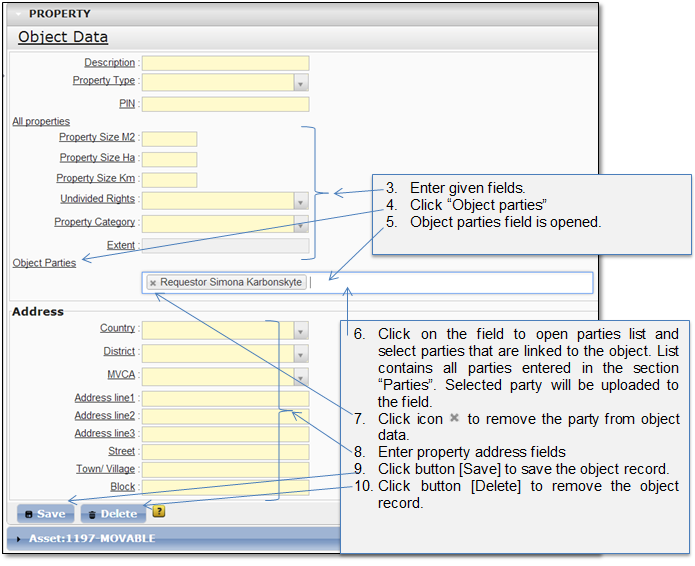
Figure 76 Property data “All details”
Vehicle data
This window (Figure 77) is shown if user has selected to create vehicle object.
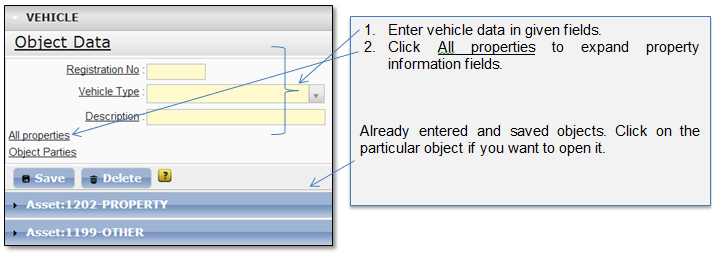
Figure 77 Vehicle data
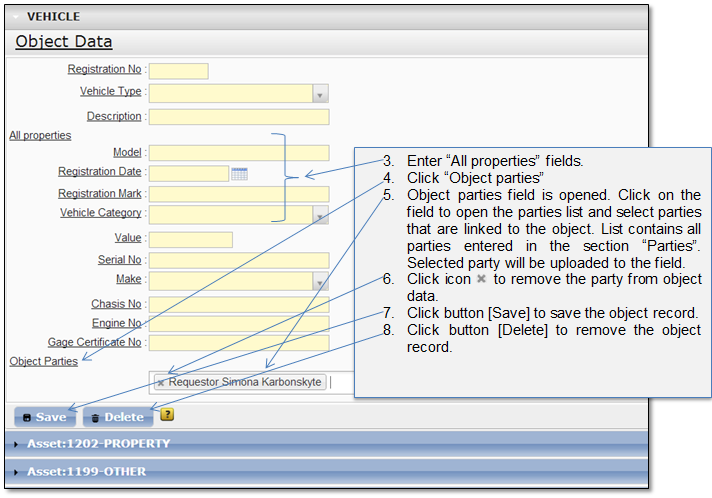
Figure 78 Vehicle data with properties and parties
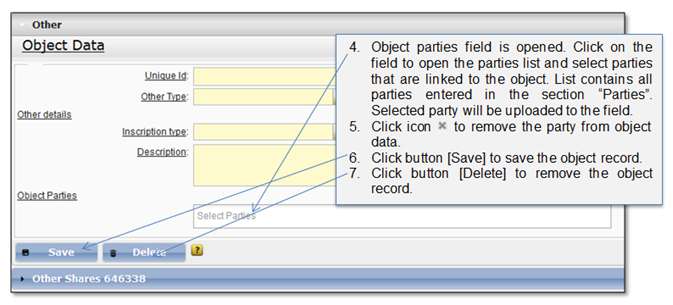
Other object data
This window (Figure 79) is shown if user has selected to create other object.
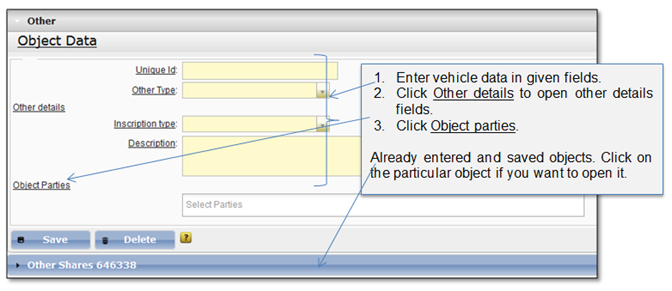
Figure 79 Other object data