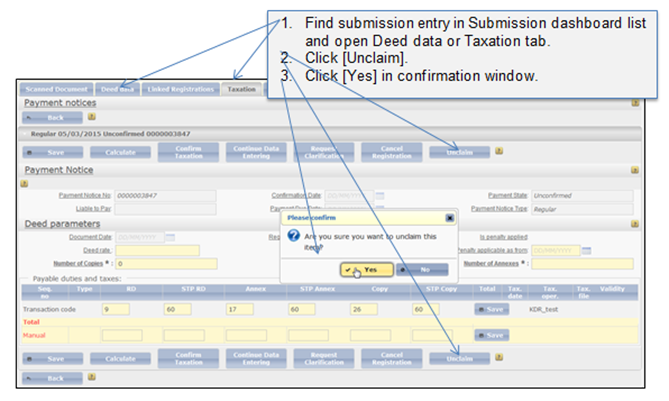
When user starts working with particular record in a Submission or Confirmation dashboard, the record becomes automatically assigned to the user. If the user cannot finish his task, he can unclaim the record and then it can be re-assigned to another submission officer.
In a submission step you can unclaim the record from Taxation, or Deed data tab (Figure 14).
Figure 14 Unclaim submission entry (Taxation tab)
In a confirmation step you can unclaim the record from Decision tab (Figure 15).
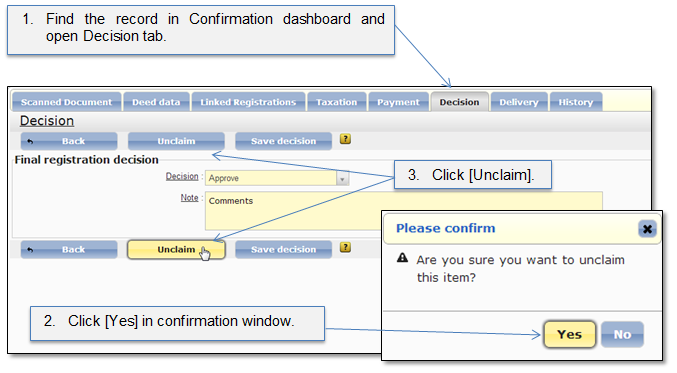
Figure 15 Unclaim decision confirmation