This functionality allows the user to stop submission entry registration by requesting the clarifications or corrections to the submitted documents. When user requests for the clarification:
•Request for clarification letter is generated and stored in a submission entry record Delivery tab (1.6 Delivery).
•Submission entry record is removed from submission dashboard, and the state is changed to “Clarification requested”.
•Submission entry record can be found and previewed in a Full view list (3.3 Full view).
•The submission officer should print and submit request for clarification letter for the recipient and record printout delivery to the system (1.6.1 Record delivery).
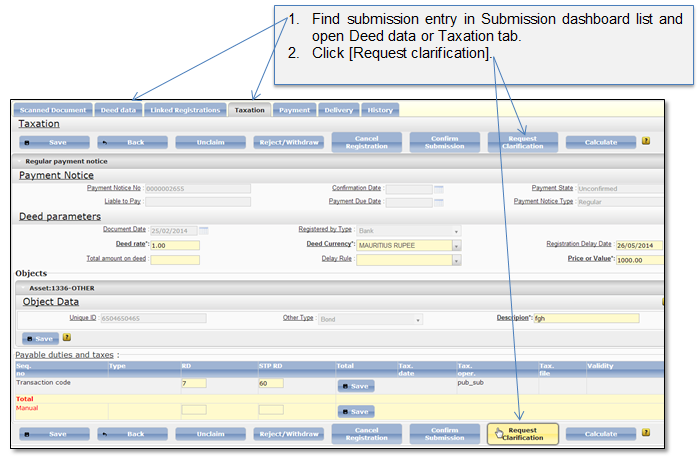
Submission entry can be requested for clarification from Taxation, or Deed data tab (Figure 106).
Figure 106 Request clarification (Taxation tab)
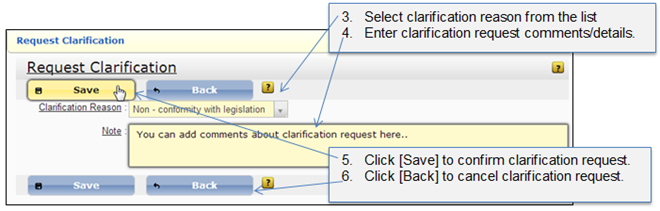
Figure 107 Clarification request details