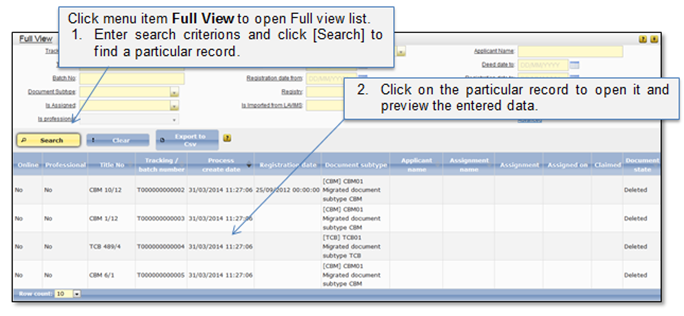
Full view list (Figure 16) shows all document/deed registration records that are being registered or are already registered in the system. You can use list filter fields to make a search of any record and preview record current state and data (Figure 16).
From the Full View list system users (who have the particular rights assigned) can perform the following functions:
•Correct the migrated data by uploading e-doc to the imported document (Correct migrated date).
•Create new regular payment notice to correct the payable amount, in case the submission is confirmed, but the applicant has not submitted payment yet (Create new regular payment notice).
•Create overpaid payment notice, if the applicant has submitted payment which was higher than it ought to be (Create overpaid payment notice).
•Create underpaid payment notice, if the applicant has submitted payment which was lower than it ought to be (Create underpaid payment notice).
•Reject/withdraw any record which is not yet paid (Reject/Withdraw).
! Note that depending on the rights that are granted to the user, different users may see different Full view list records. Also users that do not have the right to view detailed record information will not be able to open the record from the list.
Figure 16 Full view list