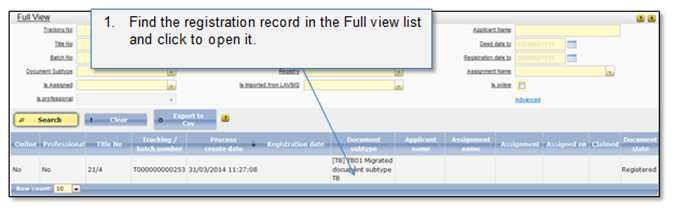
In case after the submission confirmation officer notices that payable taxes amount is not accurate, he can create a new payment notice from the Full view list and correct the payable amount (Figure 17 - Figure 21). Note that a new regular notice can be created only if the applicant hasn’t submitted payment yet. If the applicant has submitted the payment which was incorrect, an underpaid (Create underpaid payment notice) or overpaid (Create overpaid payment notice) payment notice should be created.
Figure 17 Open record from the Full view list
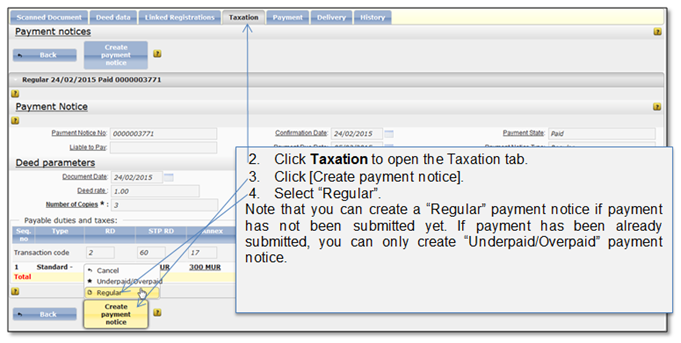
Figure 18 Create a new payment notice
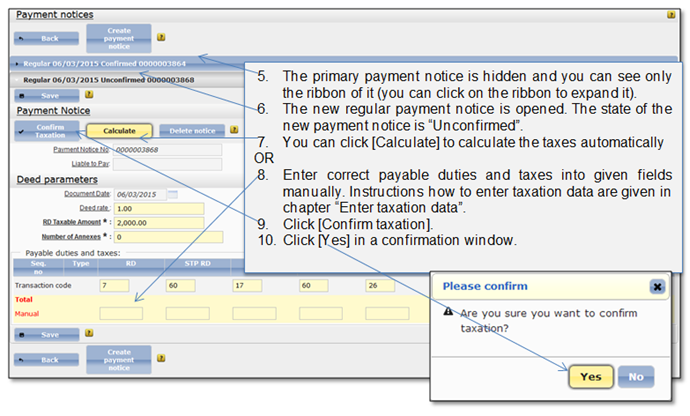
Figure 19 Enter taxation data
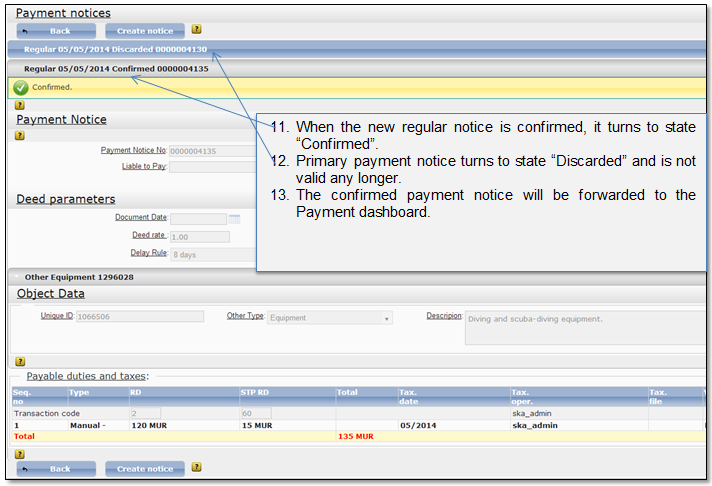
Figure 20 Confirmed new regular payment notice
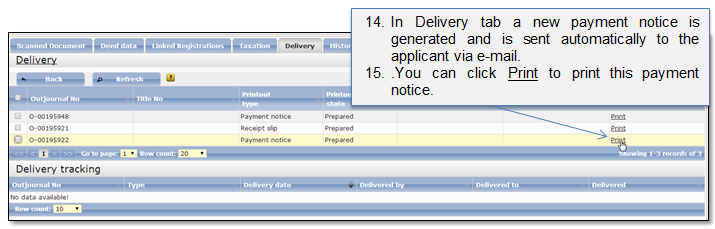
Figure 21 Payment notice in a Delivery tab