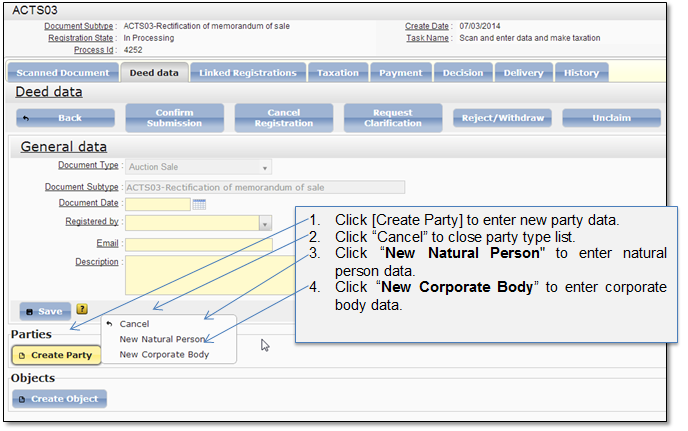
The submission officer has to enter all the parties that are included in the document/deed and indicate their role. The party can be natural person or corporate body. To start party data entering, first you have to choose party type (Figure 62).
Figure 62 Create party (Choose party type)
Natural person data
If user has selected to enter new natural person data (Figure 62), the window for person data is opened (Figure 64 and Figure 65). Enter and save party data.
Note that if you finish party data and open another party data window, the first party record is hidden under the ribbon (Figure 63). You can click on the ribbon to expand party data. Only one party record can be opened at the time.

Figure 63 Hidden party record
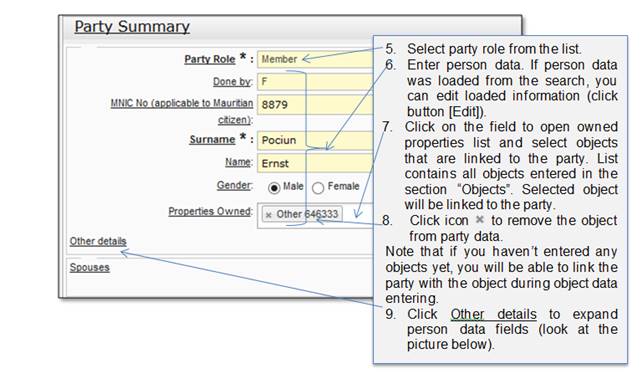
Figure 64 Natural person general data
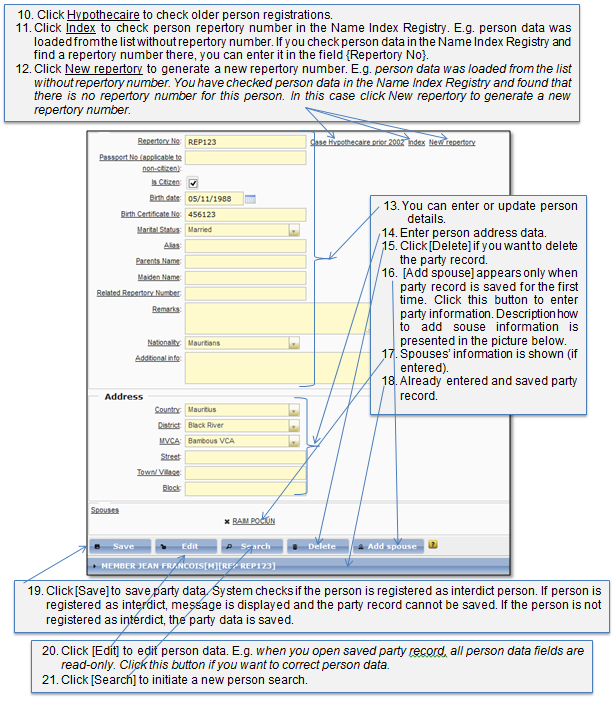
Figure 65 Natural person additional data
The natural person can be linked to spouse (Figure 66). Link to spouse is not limited to the one, you can add as many spouses as necessary.
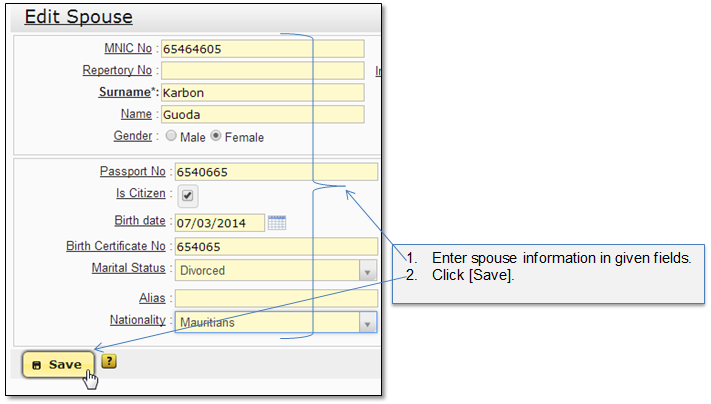
Figure 66 Add spouse
Corporate body data
If user has selected to enter new corporate body data (Figure 62), the window for corporate body data is opened (Figure 68 and Figure 69). Enter and save party data.
Note that when you finish party data and start entering another party data, the first party record is hidden under the ribbon (Figure 67). You can click on the ribbon to expand party data. Only one party record can be opened at the time.
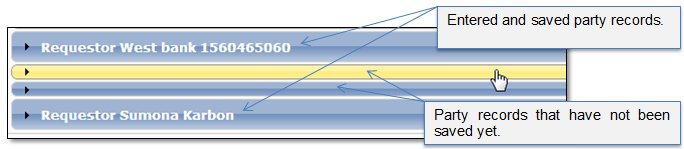
Figure 67 Hidden party record
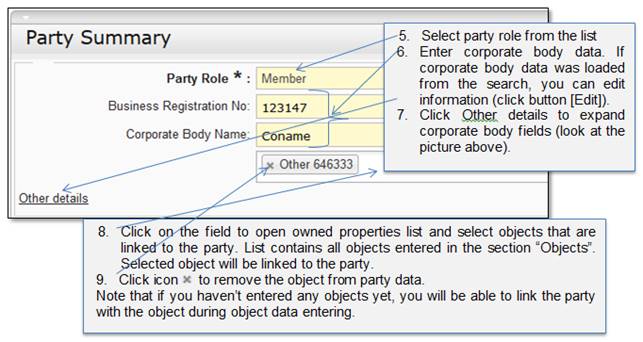
Figure 68 Corporate body general data
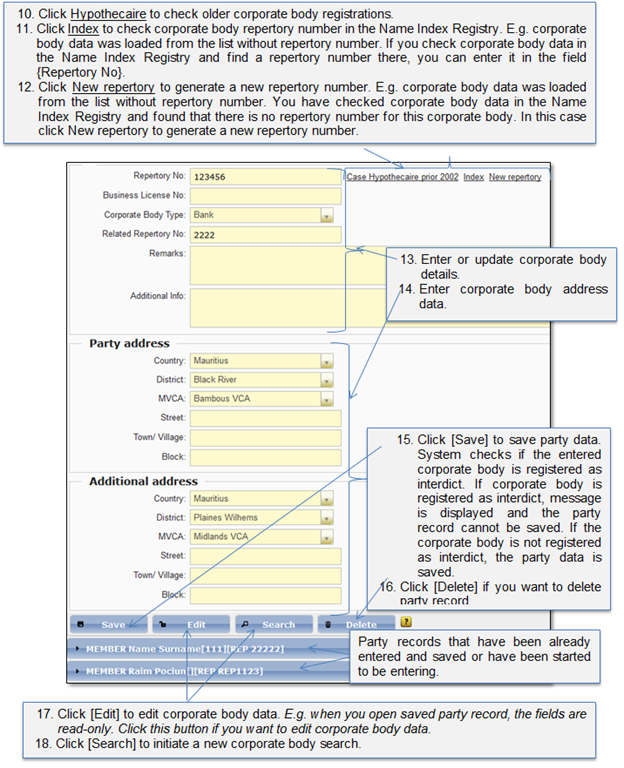
Figure 69 Corporate body additional data