
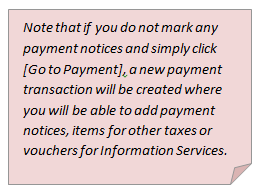
This function allows the cashier to create a new payment transaction. Payment transaction creation is initiated from Payment dashboard (3.2 Dashboards).
Figure 123 Creating new payment transaction
 System creates the new payment transaction (Figure 124). There are two
types of payment transactions – regular and debt (Figure 124 and Figure 125).
Regular transactions include registration, order, information service and other
taxes. Debt transactions include only debt taxes. Created payment transaction
also appears in a Payment transaction list (4 Payment transactions) and can be previewed
from there.
System creates the new payment transaction (Figure 124). There are two
types of payment transactions – regular and debt (Figure 124 and Figure 125).
Regular transactions include registration, order, information service and other
taxes. Debt transactions include only debt taxes. Created payment transaction
also appears in a Payment transaction list (4 Payment transactions) and can be previewed
from there.
The payment notices that were marked in a Payment dashboard are included in the payment transaction*.
You can add more payment notices (2.1.1 Add payable item) or remove added payment notices from payment transaction (2.1.2 Remove payable item). Also you can add item for other taxes (2.1.3 Add item for other taxes) or add Information services search voucher (2.1.4 Add Information Services voucher). You can view detailed tax information of each record that is included in the payable items list (2.1.5 View detailed tax information) When all payable items are added, you can select payment method and enter payment data (2.1.6 Enter payment data). To finish payment transaction you have to confirm it (2.2 Confirm transaction). If payment transaction will not be confirmed, cancel it to close the payment transaction (2.3 Cancel transaction).
*All payable items that are included into payable item list are automatically claimed to this user who created the payment transaction. Other cashiers are not able to include the same payable item in their payment transactions. If you remove payable item from the payment transaction, it will automatically become unclaimed and available for other cashiers.

Figure 124 Payment transaction
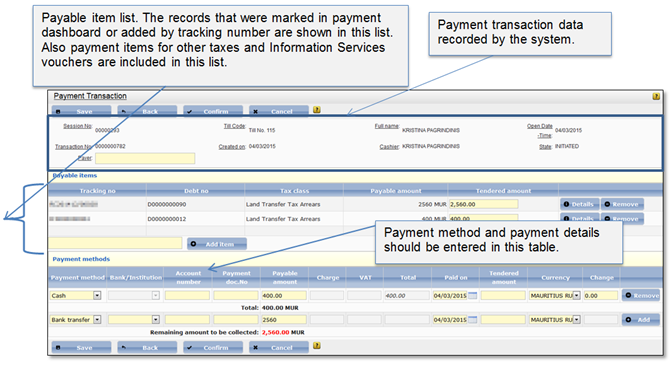
Figure 125 Debt payment transaction