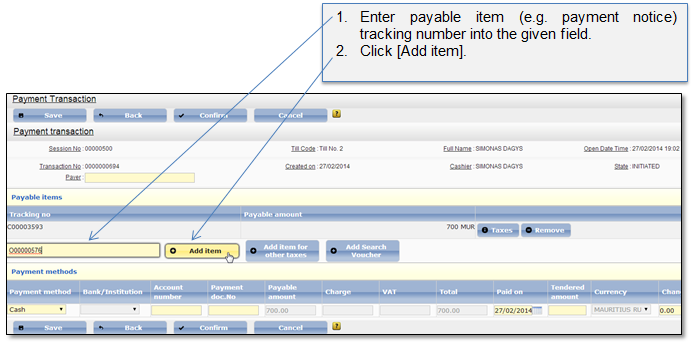
You can add as many as required payment notices to the payment transaction. Payment notice can be added by marking it in the Payment dashboard before the payment transaction is created (2.1 Create payment transaction), or can be added inside the payment transaction by tracking number (Figure 126).
If payment has registration, online, voucher or other regular payment notices, you won’t be able to add debt payment notices. Also, if payment has debt payment notices, you won’t be able to add other payment notices.
Figure 126 Add payable item
If the entered transaction number is correct and is not proceeded by other cashier, it will be added to the Payable items list. Added payable item is automatically claimed to the user who added it and other cashiers cannot include this payable item into their payment transactions.