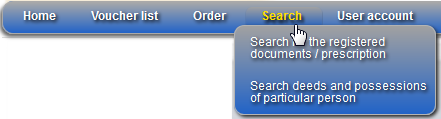
User menu is always displayed in the left-upper part of the Information services system (Figure 56). Menu item Search has sub-menu lists that are expanded as you move the mouse cursor over it.
•Home – this menu item navigates user to the system home page. System home page detailed description is presented in chapter 5.1 Main menu.
•Voucher list – shows user voucher list. This list contains all “Added”, “Activated” and “Expired” user vouchers (5.2 Voucher).
•Search – this menu contains the following search lists:
•Registered documents list – in this list you can perform a search of particular document and review it (5.4.1 Registered document / Prescription list).
•Index of testators – in this list you can search for testators. Note that Index of testators search shows the search results only in the list and doesn’t allow viewing the document itself.
•Index of interdict persons – in this list you can find all documents where the particular interdict person is registered. Note that Index of interdict persons search shows the search results only in the list and doesn’t allow viewing the document itself.
•Deed and possessions of particular person – in this list you can search for the deeds where the person is indicated as a party and search for the list of possessions of the particular person (5.4.2 Deeds and possessions of particular person).
Note that if the user has no active vouchers, he cannot access Information services search functionality until he activates the voucher (Figure 57). In this case if you click menu item “Search → Activate voucher”, you will be navigated to the user account window (5.5 User account), where you will be able to add and to activate the voucher.
•User account – click this menu to open your user account and voucher list. In this window you can change your user account information or add and activate vouchers (5.5 User account).
Figure 56 Main menu
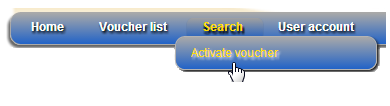
Figure 57 Menu if user has no active vouchers