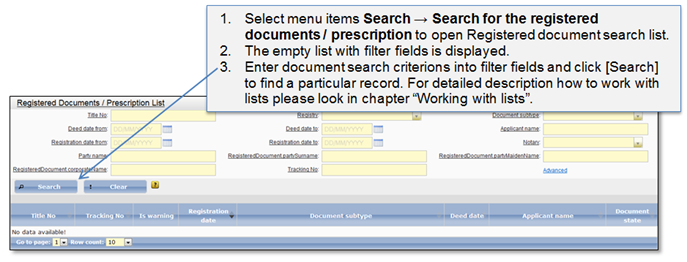
In the Registered document / Prescription list you can perform a search of particular document and review it. Registered document list (Figure 75) can be opened by choosing menu items Search → Search for the registered documents/prescription. To make a search of a particular document, enter document parameters in filter fields displayed over the list.
! Note that depending on the particular document security level and the rights that are granted to the user, different users may be allowed to see different search results and different levels of particular record information.
Figure 75 Registered documents / Prescription list
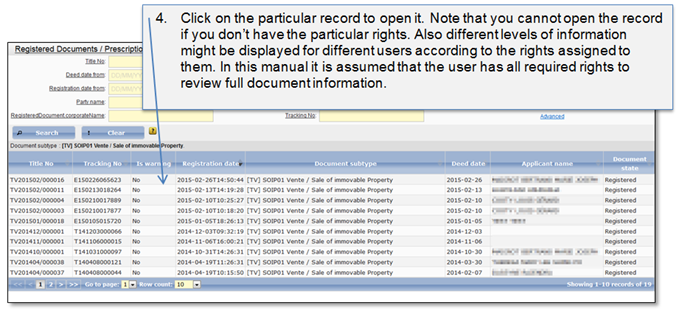
Figure 76 Registered document list search results
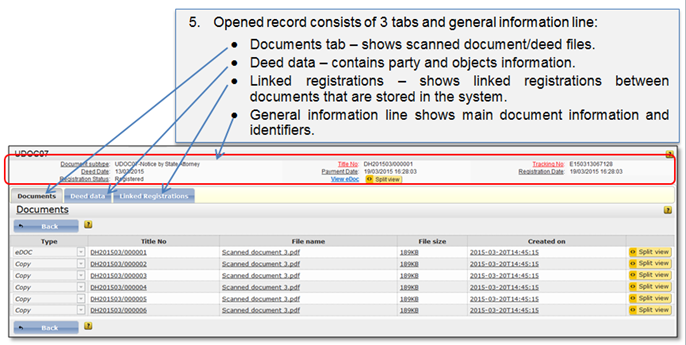
Figure 77 Documents tab
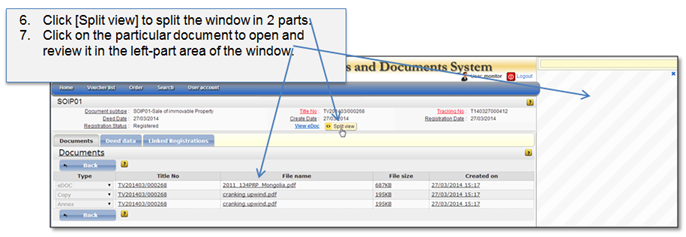
Figure 78 Split document view
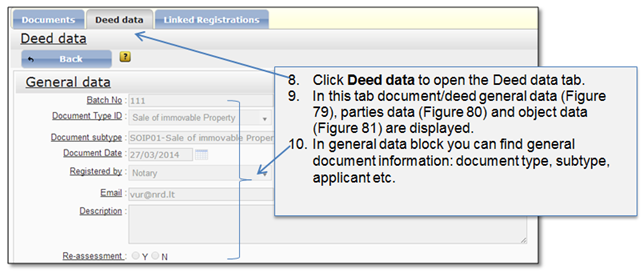
Figure 79 Deed data: General data
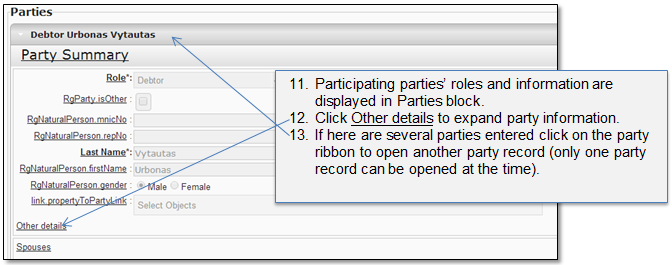
Figure 80 Deed data: Parties
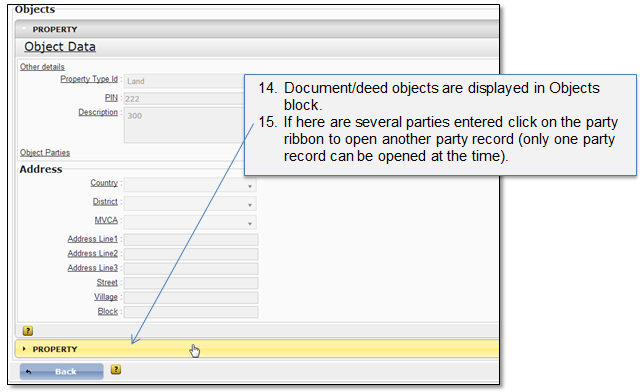
Figure 81 Deed data tab
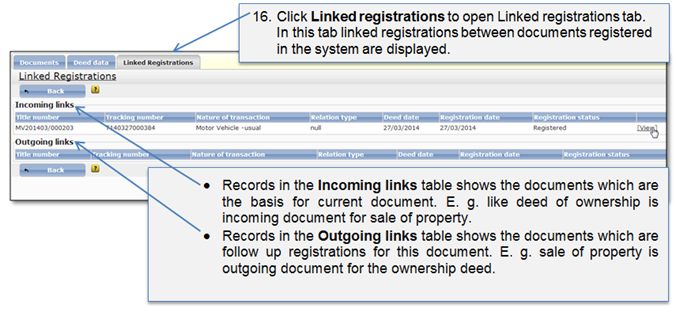
Figure 82 Linked registrations