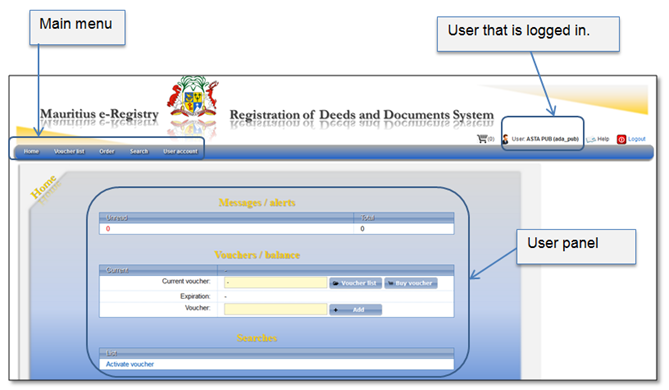
Once the user successfully access Information services, home page is displayed. Also, after the user clicks menu item “Home”, he will always be navigated to this page (Figure 58).
The user home page can be divided into the following parts:
•Main menu - all functions of the system are accessible through menu. Detailed menu description is presented in chapter 5.1 Main menu.
•User panel – in the middle of the page a summary of unread messages, voucher balance and links to the searches are presented.
Figure 58 Mauritius e-Registry home page
In the user panel you can see your current voucher parameters and you can also add a new voucher (Figure 59).
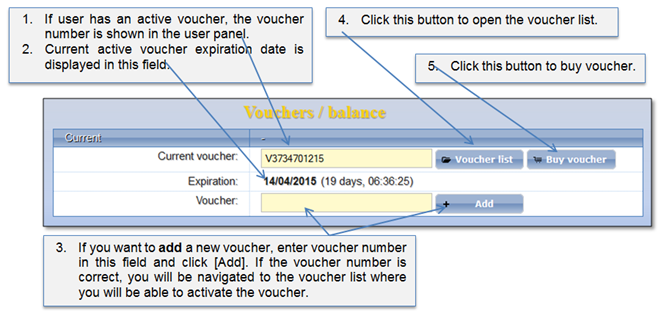
Figure 59 Voucher management in the user panel
Also, it is available to buy voucher from the voucher list. Description how to do that is given in chapter 5.2 Voucher.