Public user has to buy a voucher in order to get an ability to use the searches function in “Search” menu. There are two ways to buy a voucher on-line:
1. In a home page. How to buy a voucher from home page is described at Figure 59.
2. In a voucher list. How to buy a voucher from voucher list is described at Figure 60.
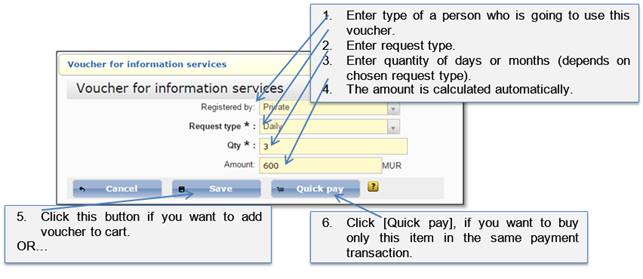
After the button [Buy voucher] is clicked, the following information has to be entered:
Figure 61 Voucher for information services
•If you added to the cart, later on payment order must be checked out. How to check out see Figure 48-Figure 49.
•If you selected quick payment, the item is checked out automatically.
All information how to pay for items is described at chapter 4.5 How to confirm payment order.
After you pay for a voucher you can add it to the vouchers list and activate. Voucher number can be found in payment item’s description:
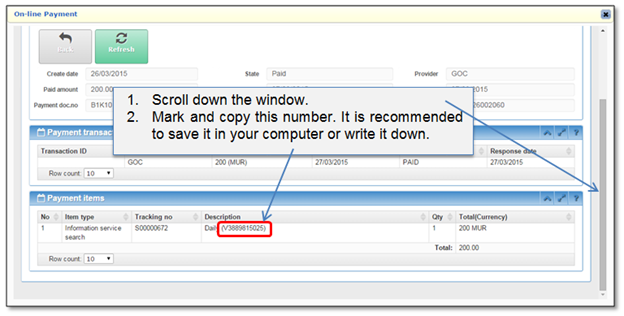
Figure 62 Voucher number