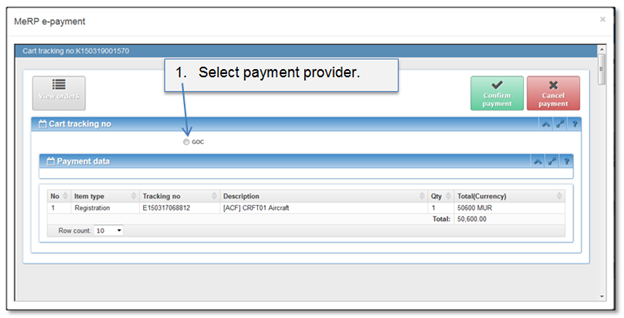
In order to confirm payment, payment order needs to be in state checkout. Payment order gets in check out status when:
1. Quick payment is initiated (see chapter 4.3 How to initiate quick payment).
2. Manually in a screen of a cart details if at least one item is added into the cart (see chapter 4.4 How to add payment item to the cart).
Figure 50 Select payment provider
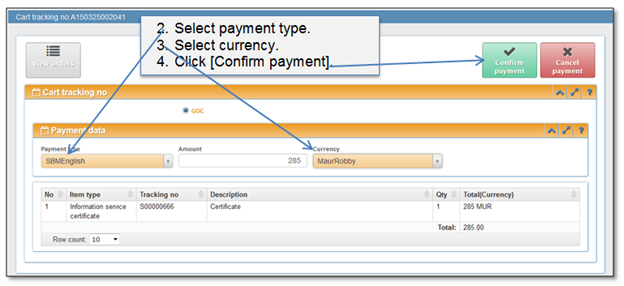
Figure 51 Enter payment data
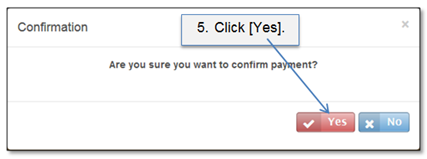
Figure 52 Confirm payment
Payment will be confirmed and passed to the payment system. Click button [Refresh] after a while to see if it was actually executed. Paid submissions will go to registration step.
Note that there might occur several different reasons when payment won’t be successful:
•Payment will be declined if payment provider declines payment transaction for a reason which depends on a payer and can be eliminated by him. Examples:
•Not enough money in account;
•Card is expired, not valid;
•Entered data is incorrect or has some discrepancies.
•Payment transaction state will be set to failed when it fails on provider’s side and a response with an error is returned (cause might be some communication error or other technical issue).