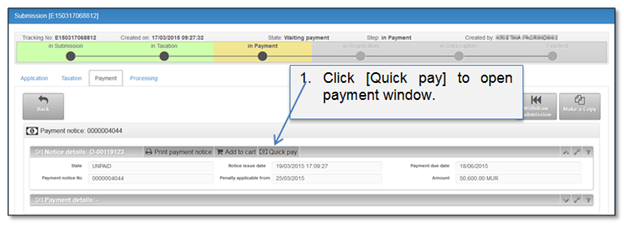
User can add payable item to the payment order using “Quick pay” function. Using “Quick pay” only one payment will be confirmed. In this case only one payable item can be added to the payment order. When a user chooses quick payment method, the state of On-line payment order is set to “Checkout“.
Figure 42 Quick pay from payment tab
Button [Quick pay] is available in “May payments” list.
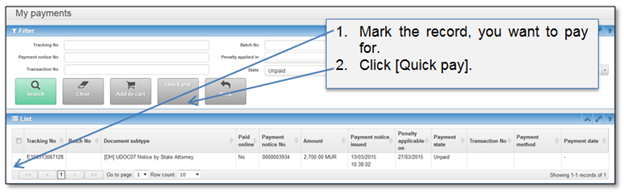
Figure 43 Quick pay from “My payments”
Instructions how to confirm payment are given in a chapter 4.5 How to confirm payment order.