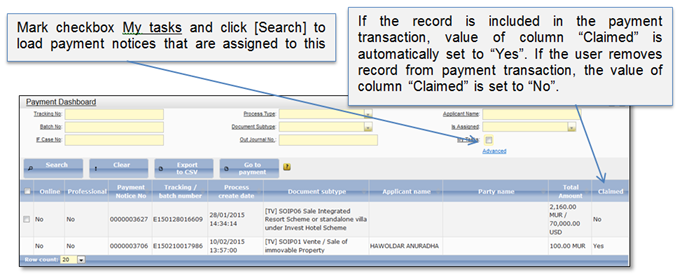
1. Click on menu “Payment” to open payment dashboard list (Figure 10).
2. System shows a list of payment notices that were confirmed in a submission dashboard. Information service orders also are included in this list.
3. You can make a search of particular record in the list and include it in the new payment transaction (2.1 Create payment transaction).
4. When the user includes particular record into the payment transaction, the record is automatically assigned to him. Record will be unassigned if the user removes record from the payment transaction, or cancels the payment transaction.
5. When the cashier confirms payment transaction, the records that were included in to the payment transaction are removed to the confirmation dashboard. If the payment dashboard record will not be confirmed in 8 days, it will be automatically rejected and removed from payment dashboard. Registration record will be available in Full view.
Figure 10 Payment dashboard