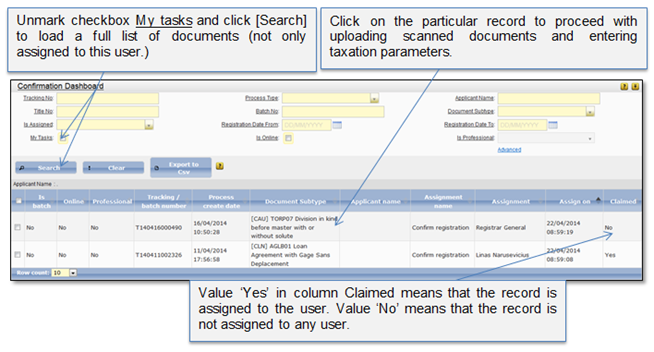
1. Click on menu “Confirmation” to open confirmation dashboard list (Figure 11).
2. System shows a list of documents which were successfully paid and are assigned to this user.
3. You can make a search of particular record in the list and proceed with confirming the decision (1 Confirm decision).
4. When the user opens particular record, it is automatically assigned to him. You can assign the record to another user, or you can also remove the assignment from other user (3.2.5 Assign/remove assignment).
5. When registration officer for “mention” confirms the decision, it is removed to the delivery dashboard.
Figure 11 Confirmation dashboard