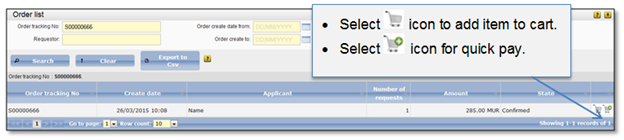
After order taxation is confirmed by Information services officer, the state is set to “Confirmed”. Payment can be initiated by public user using on-line services. The payment can be done from “Order list”. To open “Order list” select menu items: Order → Active order list.
There are two ways to pay for order:
1. Pay for only one item. In this case select “Quick pay”. How to confirm payment after “Quick pay” is clicked follow instructions in chapter 4.5 How to confirm payment order.
2. Pay for few items at ones. In this case select “Add to cart”. How to confirm payment after “Add to cart” selected is described at chapters:
•4.4 How to add payment item to the cart.
•4.5 How to confirm payment order.
Figure 72 Pay for order
Also, user can always open cart and review its information. In addition, user can review all orders from the past. Information how to do it is described at chapter 4.6 View online payment order.
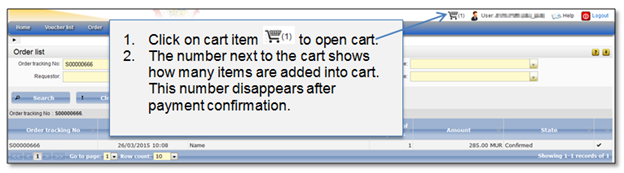
Figure 73 Open cart