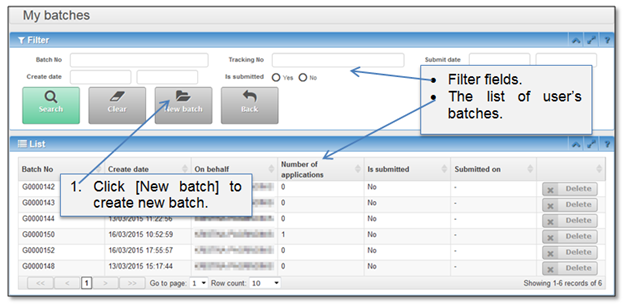
This chapter gives instructions how to create new batch and assign submission to it. To start the new batch “My batches” (Figure 35) page must be opened. You can open this page from “Home” page by clicking button [My batches] (Figure 17).
Figure 35 My batches window
Then button [New batch] is clicked, page of “New batch” is opened. Please enter required data to continue.
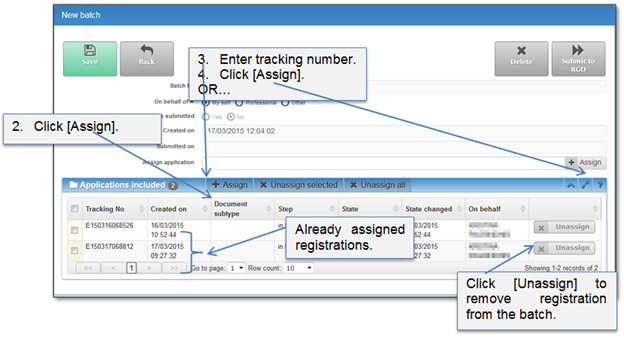
Figure 36 New batch window
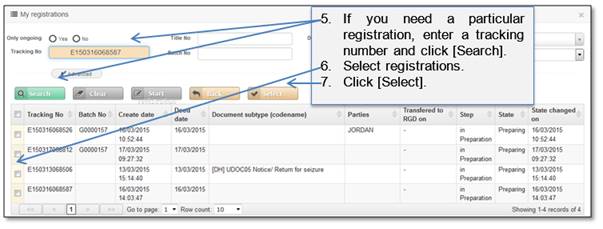
Figure 37 My registrations list