 - in the right-top corner of system home
page.
- in the right-top corner of system home
page.To login to the system Mauritius e-Registry login page must be opened (Figure 4):
1. Enter your username in field {Username} and password in field {Password}.
2. Click button [Login].
3. If entered username or password is incorrect, message that user credentials are invalid is displayed.
4. If entered username and password is correct, system home page is opened (Figure 7). Home page may differ according to the role that is assigned to the user. Detailed home page and menu elements description is presented in chapter 3 Main menu.
5. To logout form
the system, click the logout icon - - in the right-top corner of system home
page.
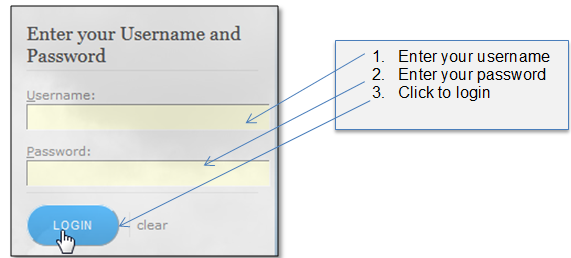
Figure 5 Logging in to Mauritius e-Registry