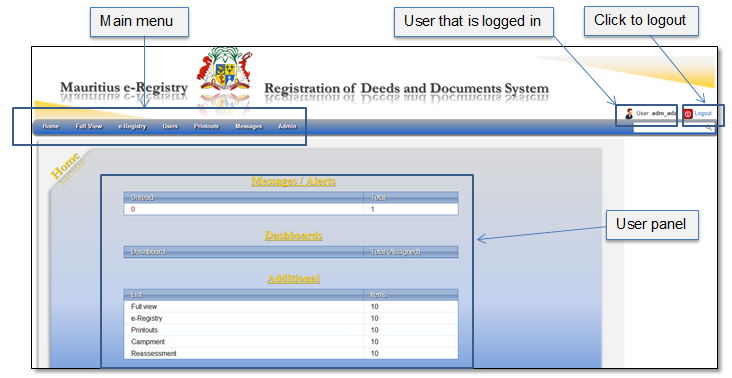
Once the user is successfully logged in, Mauritius e-Registry home page is opened. Also, after the user clicks menu item “Home”, he will always be navigated to this page (Figure 7).
The user home page can be divided into the following parts:
•Main menu - all functions of the system are accessible through menu. Detailed menu description is presented in chapter 3 Main menu.
•User panel – in the middle of the page a summary of unread messages, pending applications and additional documents are presented. Click on the links to open a group of records, e.g. if you click on link “Messages/Alerts” – user messages list is opened.
Figure 7 Mauritius e-Registry home page