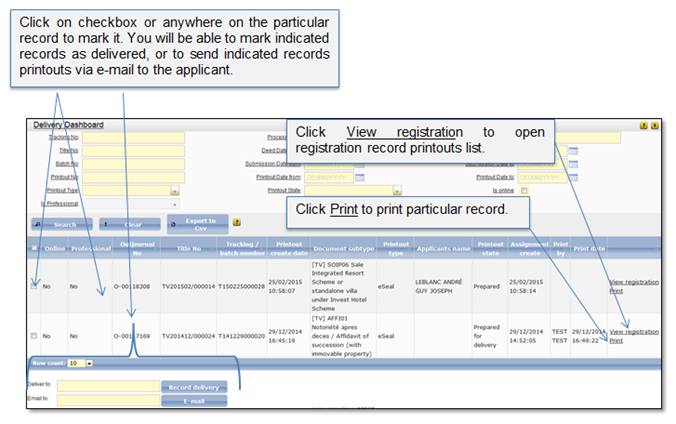
1. Click on menu “Delivery” to open delivery dashboard list (Figure 12).
2. System shows a list of the documents that were generated by the system as the registration process result and are pending to be delivered to the applicant (eSeals, Rejection letters, Requests for clarification).
3. You can make a search of particular record in the list, print it, deliver to the applicant and mark as delivered (see 1 Printouts delivery).
4. If the applicant doesn't arrive to receive his printouts, the delivery officer can unpick registration record from the Delivery dashboard to finish the process.
Figure 12 Delivery dashboard