
This function allows the registration officer for “mention” to approve document/deed registration. Document/deed approval is initiated from Confirmation dashboard (3.2 Dashboards).
Figure 142 Opening registration record
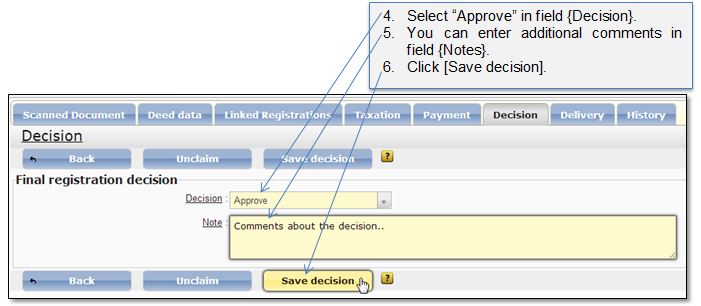
Figure 143 Saving final registration decision
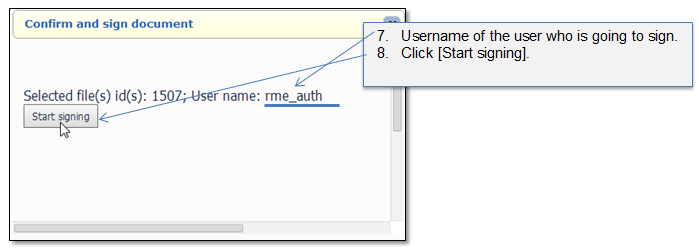
Figure 144 Confirm and sign document
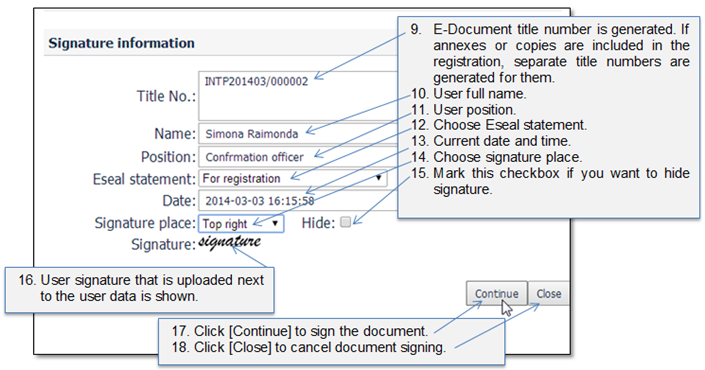
Figure 145 Signature information

Figure 146 Signer applet start
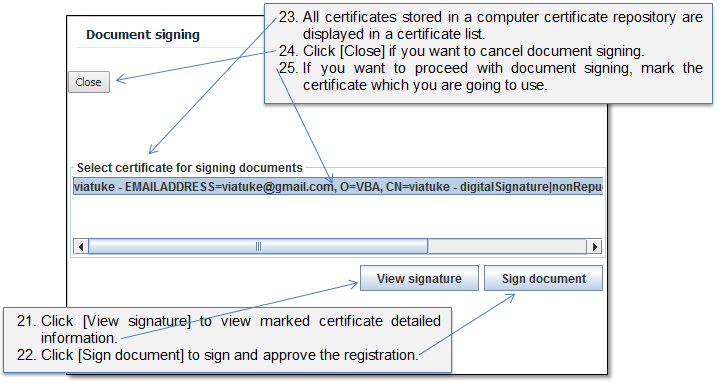
Figure 147 Certificate list

Figure 148 Entering PIN
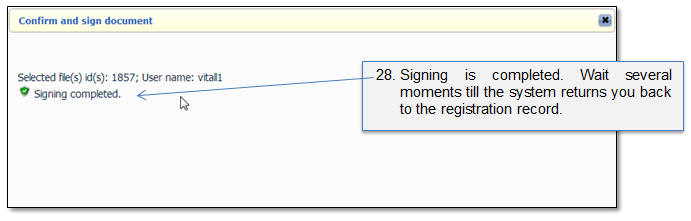
Figure 149 Signing completed

Figure 150 Successfully approved registration
When the registration officer for “mention” approves the registration:
• The system generates the
eSeal and incorporates eSeal in the eDocument.
The system generates the
eSeal and incorporates eSeal in the eDocument.
•The copy of eSeal, as PDF printout, is generated by the system and registration officer for “mention” prints the eSeal on the hard copy of the submitted document.
•The record is moved to the Delivery dashboard.
•The state of the document is set to “Registered”.
•The registration record is created in the e-Registry.
•The registration record is available for the search to third parties on predefined security class.