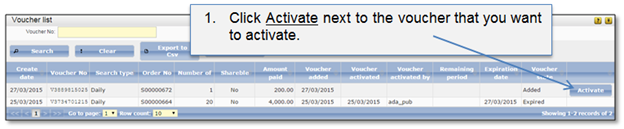
Public user can only activate vouchers which are in state “Added” (this means that the voucher has to be added to the user voucher list first (5.2.2 How to add a voucher)). When public user initiates voucher activation, the voucher state turns to “Activated”. The public user is able to access listed searches and the voucher validity period counting is started. When voucher validity period is over, voucher will turn to state “Expired” and the access to the Information services searches will be closed.
Voucher can be activated in two ways:
1. If voucher was added at home page, the voucher list will be opened.
Figure 65 Activate voucher at voucher list
2. If voucher was added at user account page, voucher can be activated from there.
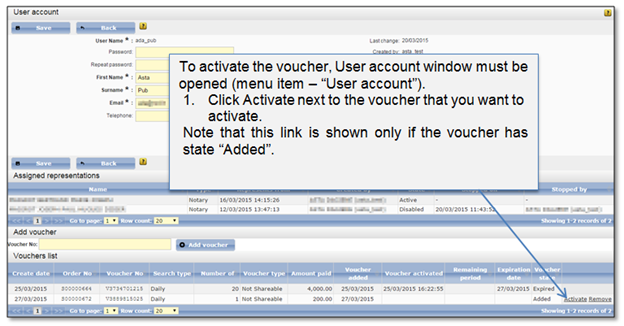
Figure 66 Activate voucher at user account window