This classifier shows the whole list of applicant types that can initiate document/deed registration. This list of records is shown in the Deed data tab during the document/deed registration, when the officer enters general data (in the field {Registered by}).
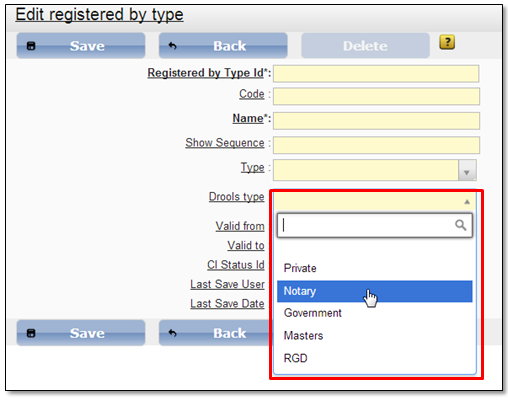
Select menu item “Admin → Document list → Registered by” to open the applicant types list. System administrator can create a new applicant type record (5.1.1 Create new classifier record). Note that when creating a new applicant type you have to select field {Drools type} (Figure 67) value responsibly. Drools type value defines tax calculation for this applicant type during the document/deed registration.
When the new applicant type is created, you have to map it to the particular document subtype(s) in order to see this applicant type in the {Registered by} list during particular document subtype registration (Applicant type and document subtype mapping can be performed in “Registered by mapping” classifier (5.2.5 Registered by mapping)).
In the Registered by classifier system administrator also can edit (5.1.2 Edit classifier record) or remove (5.1.3 Delete classifier record) existing applicant type record.
To work with this classifier role “PL-1.42. Manage the classifier: Registered by type” is required.
Figure 67 New applicant type form