Message list is for the internal system announcements. Administrator can open and review message list (3.5.1 Message list) or create and send a new message to the system users (3.5.2 Create new message).
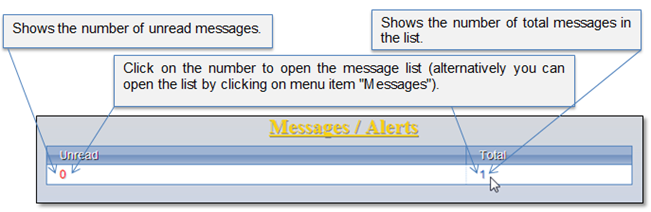
Received message summary is available in the system home page (Figure 14). In this picture you can see that there is 1 message in the received message list and 0 unread messages, which means that there is 1 message which has been already reviewed by the user.
Figure 14 Message summary
Each time you receive a new message, the pop-up window appears in the system informing about the message.
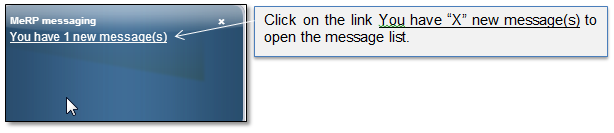
Figure 15 Pop-up informing about new message
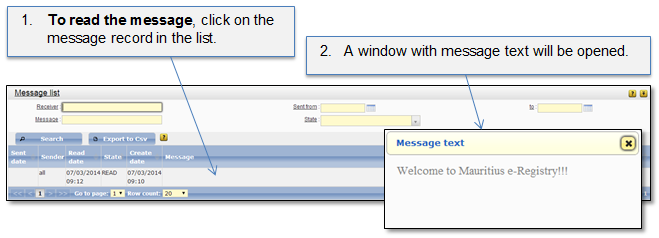
Figure 16 Message list