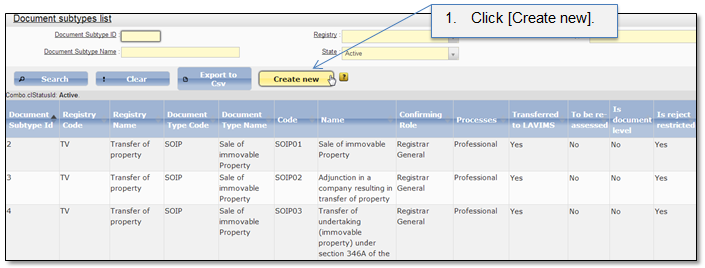
This classifier shows document subtypes that can be registered in the system. Select menu item “Admin → Document list → Document subtypes” to open the document subtypes list (Figure 65). In this list system administrator can create a new document subtype record (Figure 65 - Figure 66), edit (5.1.2 Edit classifier record) or remove (5.1.3 Delete classifier record) existing document subtype record.
Note that in order to create a new document subtype system administrator has not only to create a new record in the classifier but also to map it with various document subtype parameters from other classifiers. The complete procedure how to add a new document subtype is given in chapter 6 Instruction how to create a new document subtype.
Also note that to work with this classifier role “PL-1.4. Manage the classifier Sub-types of documents” is required.
Figure 65 Document subtypes classifier
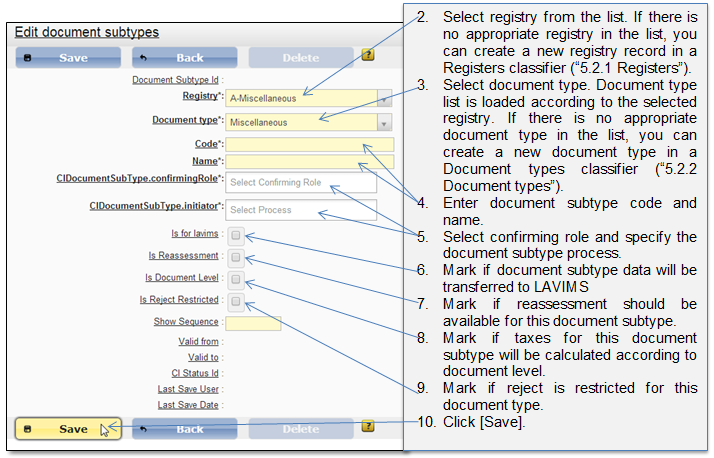
Figure 66 Create new document subtype