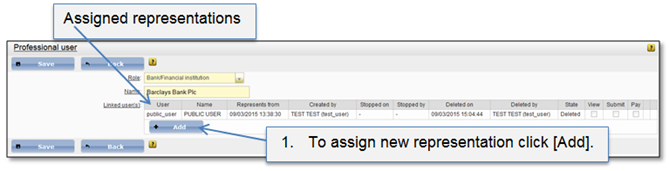
Representations can be assigned in two ways:
1. From user page. For more information see chapter 4.2.4 Representations.
2. From represented professionals list.
To assign representation from represented professionals list, the particular professional user has to be selected and opened. In opened page will be shown already assigned representations for this professional user. Administrator has right to assign as many users to this representation as needed.
Figure 46 Professional user representations
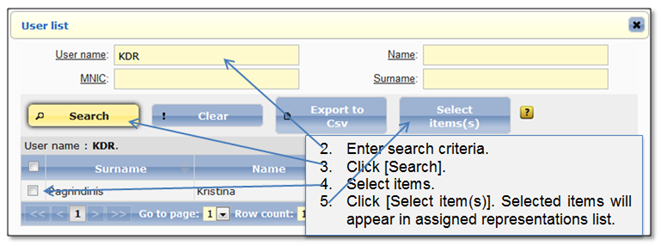
Figure 47 Search representation
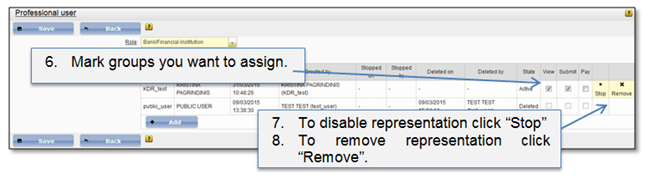
Figure 48 Select groups
Assigned representations have three rights:
•View – user has right to review all data of representation.
•Submit – user can submit data for representation.
•Pay – user can pay taxes for representation.