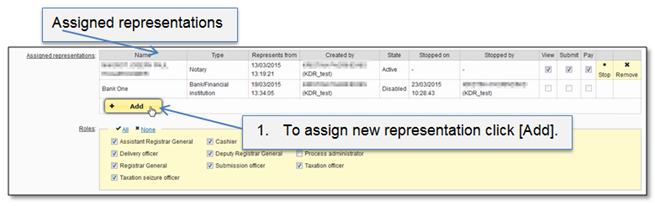
User can have one or few assigned representations. Assigned representation means that user can represent assigned user. It can be: bank / financial institution, notary, attorney, surveyor, court / master, dealers in motor vehicle.
Assigned representations have three groups:
•View – user has right to review all data of representation.
•Submit – user can submit data for representation.
•Pay – user can pay taxes for representation.
Administrator has right to:
•Assign / add new representation - assigned representation turns in state “Active”.
•Stop the activity of representation - assigned representation turns in state “Disabled”.
•Remove assigned representation – representation turns in state “Deleted”.
Figure 43 Add representation (1)
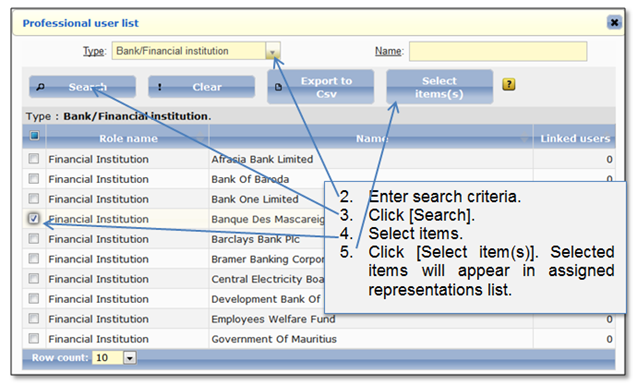
Figure 44 Add representation (2)
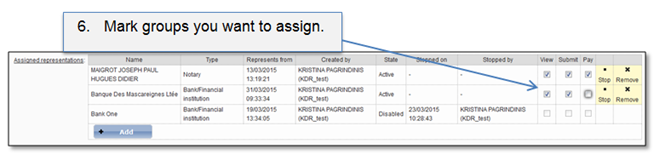
Figure 45 Add representation (3)