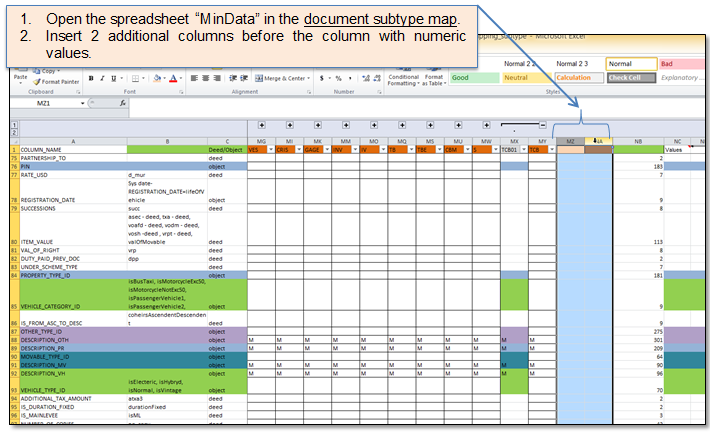

Subtype adding to the map differs depending on whether the subtype is being added to the existing document type or to the new document type. Instructions how to add a new document type and a new document subtype are given in Figure 79 - Figure 86. Instructions how to add a new document subtype to the existing document type are given in Figure 87 - Figure 92.
How to add a new document type and subtype:
Figure 87 Insert columns
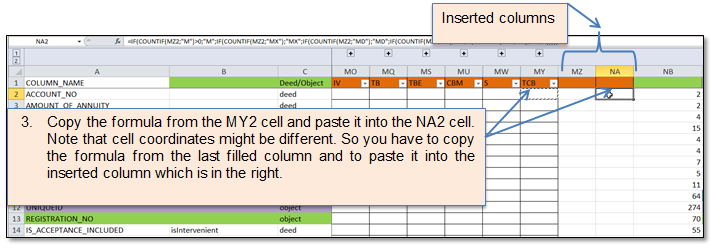
Figure 88 Copy/paste formula
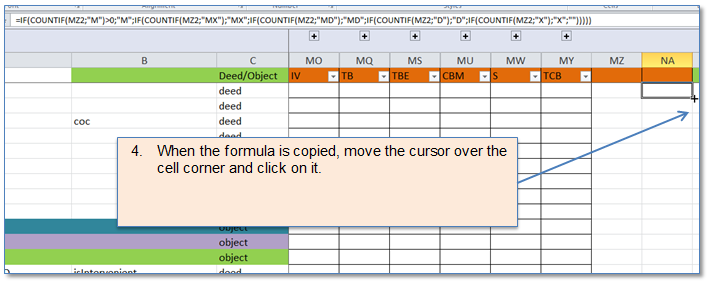
Figure 89 Copy formula in the column
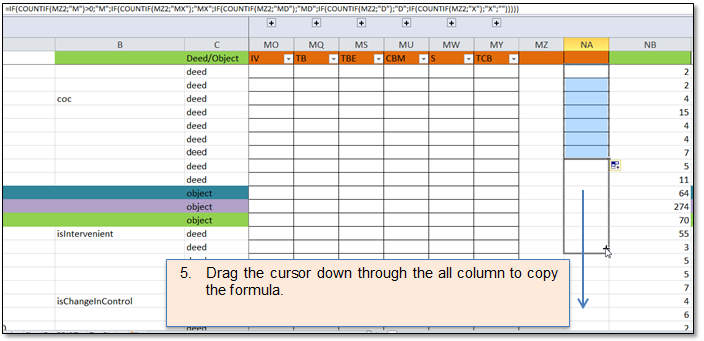
Figure 90 Dragging the formula
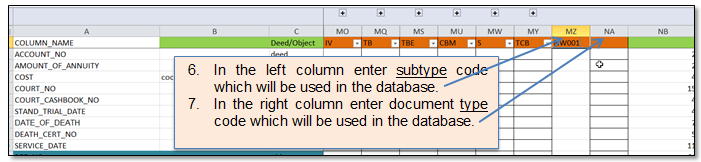
Figure 91 Specifying doc type and subtype codes
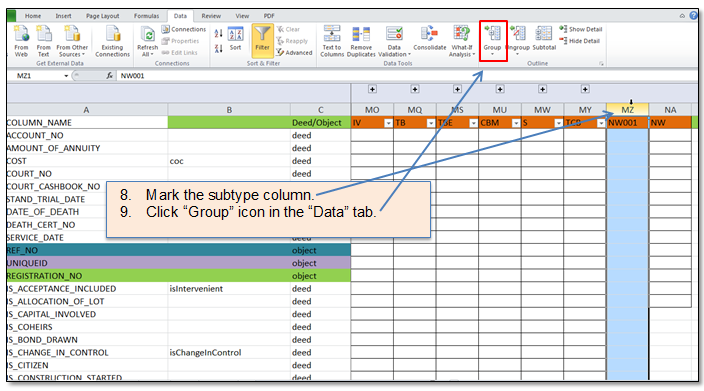
Figure 92 Grouping
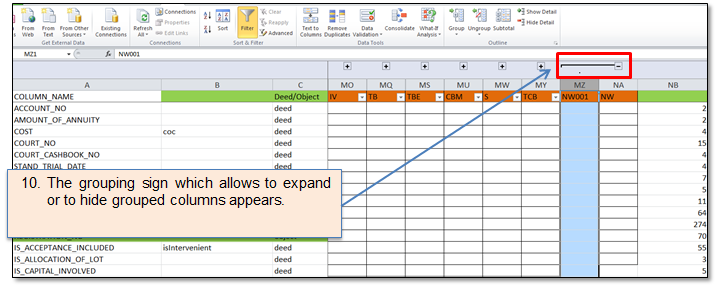
Figure 93 Grouped columns
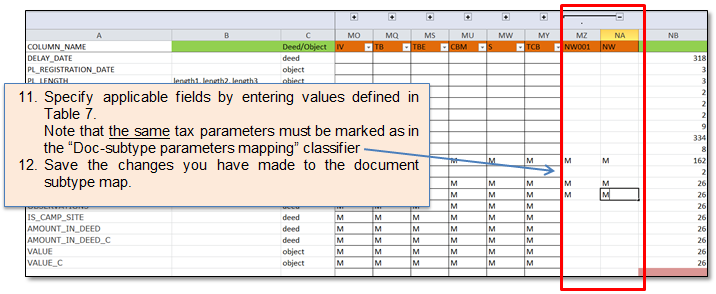
Figure 94 Entering applicable fields
Table 7 Document subtype map values
|
Value |
Description |
|
|
Empty - means: Not applicable |
|
M |
Min data |
|
X |
Taxation data |
|
MX |
Minimum and taxation data |
|
D |
Taxation data used for Drools |
|
MD |
min data and taxation data used for drools |
How to add a new document subtype to the existing document type:
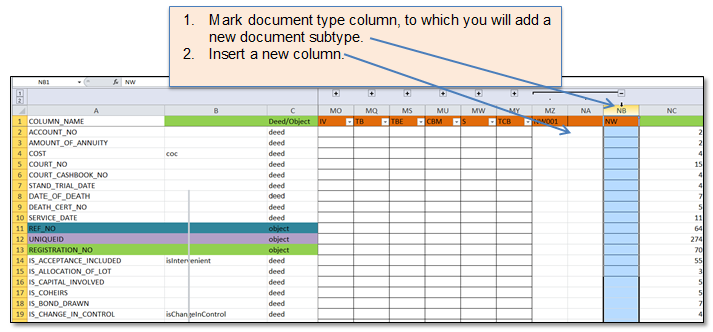
Figure 95 Insert subtype column
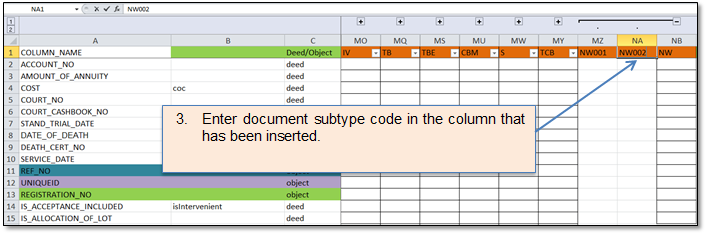
Figure 96 Enter subtype code
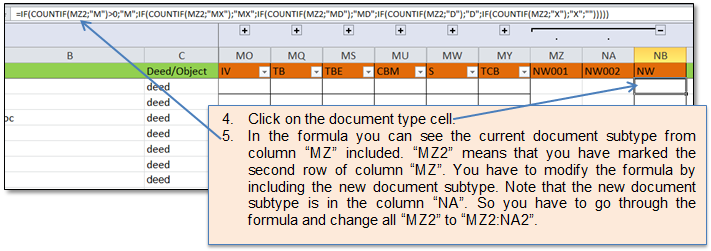
Figure 97 Modify document type formula

Figure 98 The modified formula
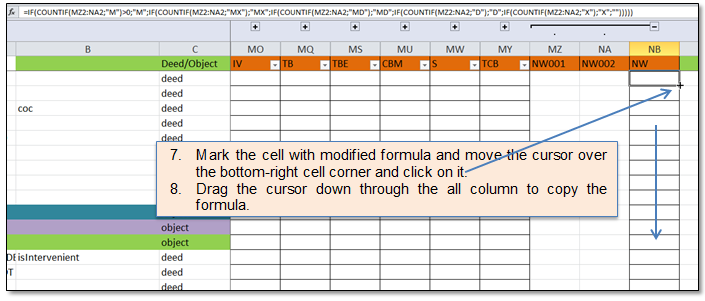
Figure 99 Copy the formula
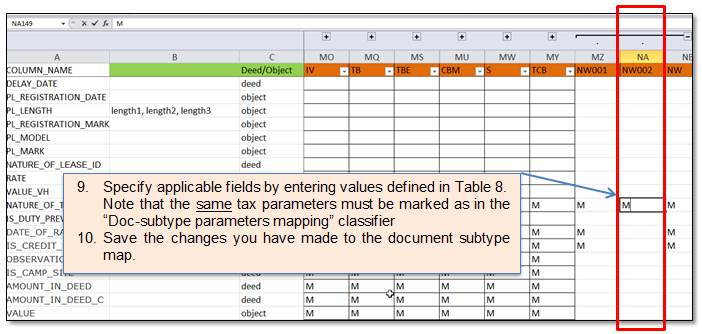
Figure 100 Enter applicable fields
Table 8 Document subtype map values
|
Value |
Description |
|
|
Empty - means: Not applicable |
|
M |
Min data |
|
X |
Taxation data |
|
MX |
Minimum and taxation data |
|
D |
Taxation data used for Drools |
|
MD |
min data and taxation data used for drools |