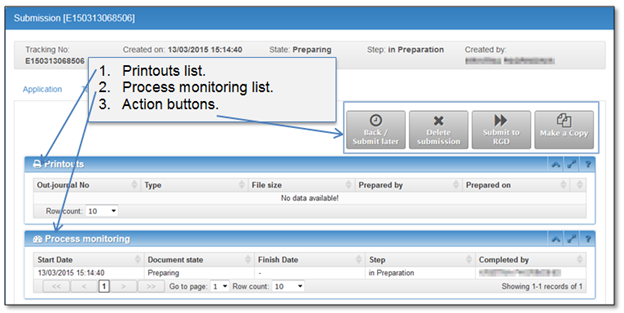
In this tab you can find all print-outs generated during the process of the current dossier. Even registered document with an eSeal is available in this tab after RGD officer confirms registration of your deed or document.
Process steps with an officer name, step start and completion date can be found in “Process monitoring” block.
Figure 32 Processing tab in preparation step
The following figure illustrates how Processing tab will change after a few steps are completed in Back office registration system.
Processing tab will be complemented in future steps. The status of submission record is shown in the lifeline on the top of the page. The meaning of lifeline colors:
•Green color indicates finished steps.
•Yellow shows current step of submission process.
•Grey indicates the remaining steps.
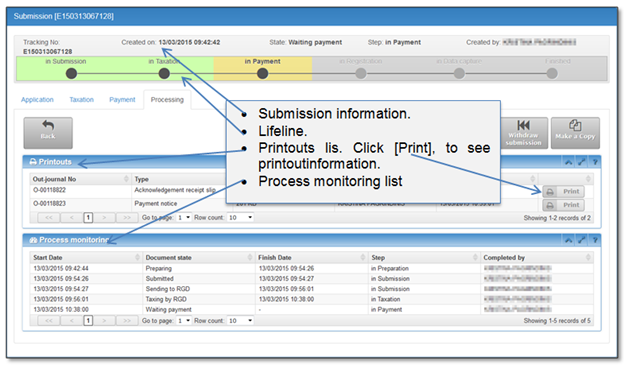
Figure 33 Processing tab in payment step