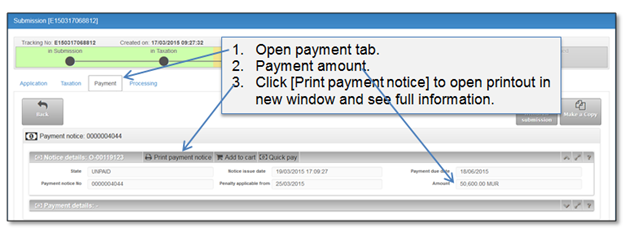
This chapter describes how to find payment notice, according which payment needs to be collected. When taxation step is completed by RGD officer, payment notice is generated and available in “Payment” tab of a submitted entry. In order to open particular submission go to “My registrations” list and choose a record. After payment is confirmed the data of payment transaction is displayed in “Payment” tab. payment amount calculated by RGD officer is shown in a block “Notice details”.
Figure 40 Payment tab in payment step
The basis of the payment is payment notice. After taxation is confirmed at the Back registration system, payment notice always is available in processing tab printouts list.
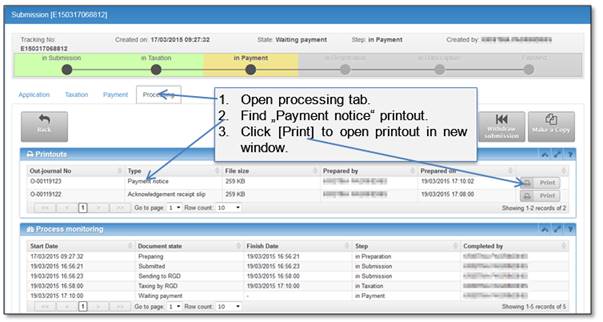
Figure 41 Processing tab in payment step