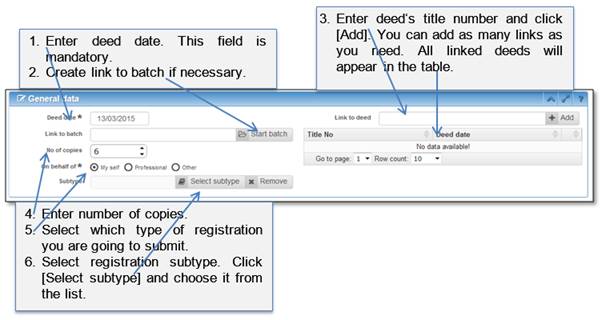
To start registration submission, fill in general data section and upload pdf file as eDoc in an Application tab.
1. Enter general data.
To submit to RGD you must enter minimum data – deed date and document. However, it is advised to enter as many data as it is possible.
Figure 19 Enter general data
2. Enter additional data
There are two sections for additional data below general data section. The first section is dedicated for party’s data. Please enter here data about all persons related to the document or deed which is going to be submitted.

Figure 20 Add new party
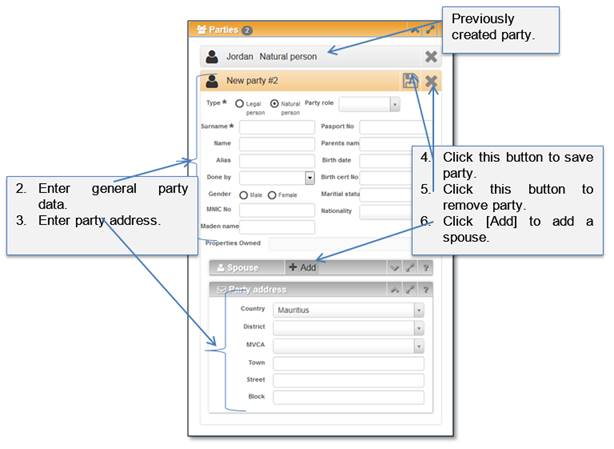
Figure 21 Enter party data
The spouse can be added to party if necessary. You can add one or more spouses to the same party.
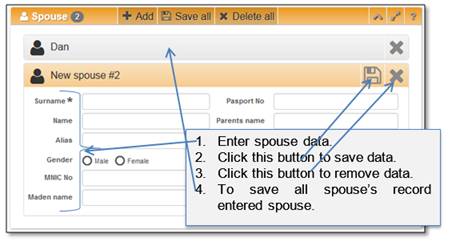
Figure 22 Enter spouse data
The second section is dedicated for object data. Please enter here information about all objects related to submission. Object can have one of four types:
1. Immovable property – this object type describes all possible immovable property.
2. Movable – this object type describes all possible movable property.
3. Vehicle – this object type describes cars motorcycles and other vehicle.
4. Other – this object type describes other possible objects which could not be assigned to previous object types.

Figure 23 Create new object
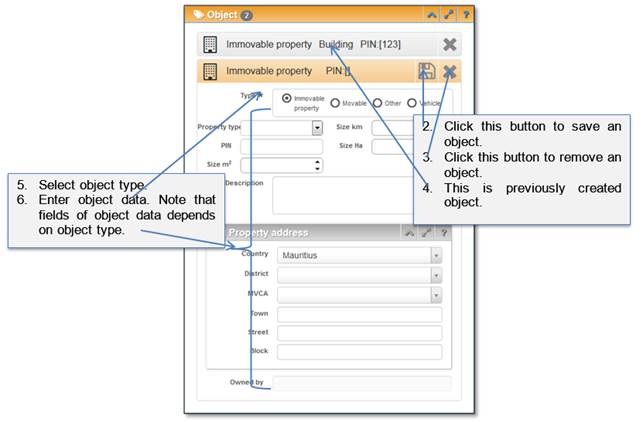
Figure 24 Enter object data
3. Save entered data
After you finish entering general data, click button [Save] to store it in the system (Error! Reference source not found.).
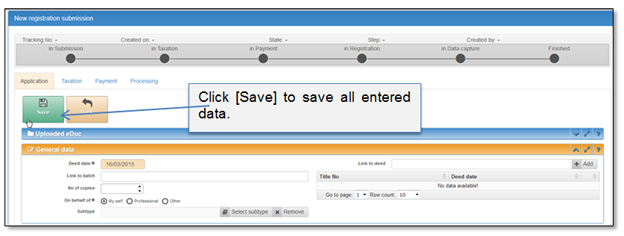
Figure 25 Save registration data
4. Upload eDoc
When registration data is entered and saved, the next step is to upload eDoc. File size is limited to 30 MB. File type should be PDF.
Note that you can upload from 1 to 10 documents, but submission is available only with one eDoc.
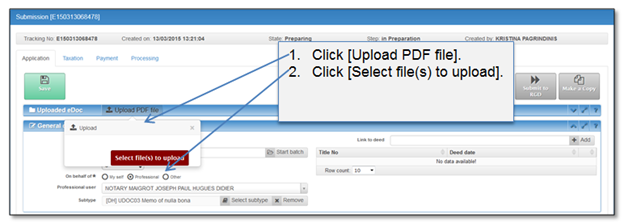
Figure 26 Upload eDoc
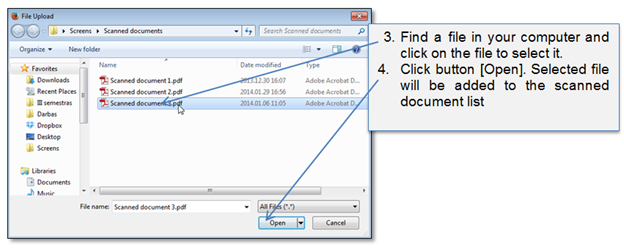
Figure 27 File upload dialogue (Mozilla Firefox browser)
Uploaded files are presented in the table.
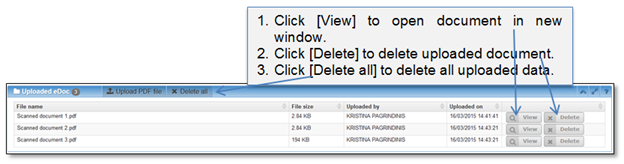
Figure 28 Uploaded files
After upload is finished, you have few options:
•You can calculate preliminary taxation;
•You can close the window an come back to submit later;
•You can even delete submission;
•You can submit dossier to RGD;
•You can make a copy of the record, update it a little bit and submit it to RGD as a new dossier.
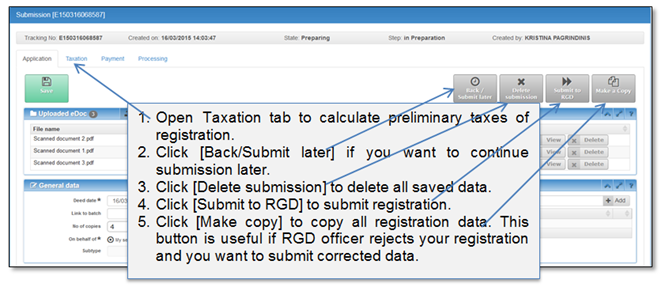
Figure 29 Registration deeds