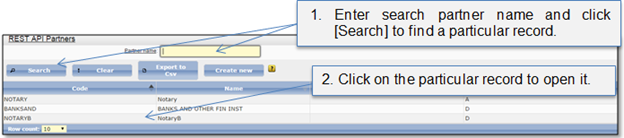
System administrator can create a new partner account by the request. When administrator enters partner name and choose status, secret key is generated automatically. The partner is set to “Active” can login to the system. The partner can access the functionality in accordance with status to the partner account.
System administrator can deleted, disabled or suspended partner account. The partner can access the functionality in accordance with status to the partner account.
•Any user will not be authorized and will not be able to operate via API functionality if partner record in state “Deleted” or “Suspended”.
•If partner status “Active” – partner can login to the system and user will be authorized and will be able to operate via API functionality.
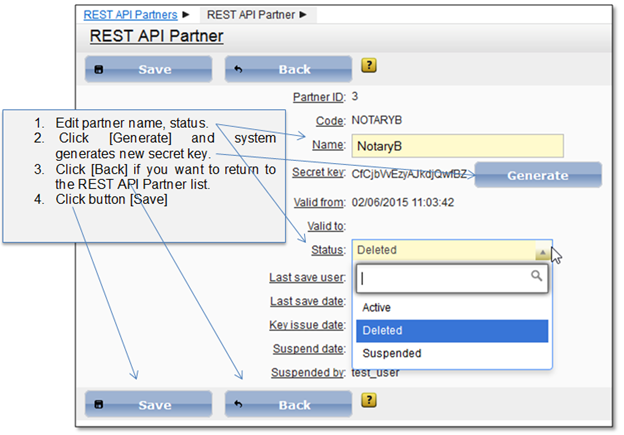
Figure 75 Partner data